A recent pull request has substantially expanded the existing Raycast extension for YouTube Music. The additions not only enable more precise control of music and video content on YouTube, they also make the integration more stable, more flexible and usable across platforms, for music lovers and power users alike.
Alongside the familiar “Like” and “Dislike” behaviour, the extension now also supports removing likes, clear URL-preference control and improved logic for track changes. This is built on a comprehensive pull request by Carlo von Reyher, developed together with other open-source contributors.
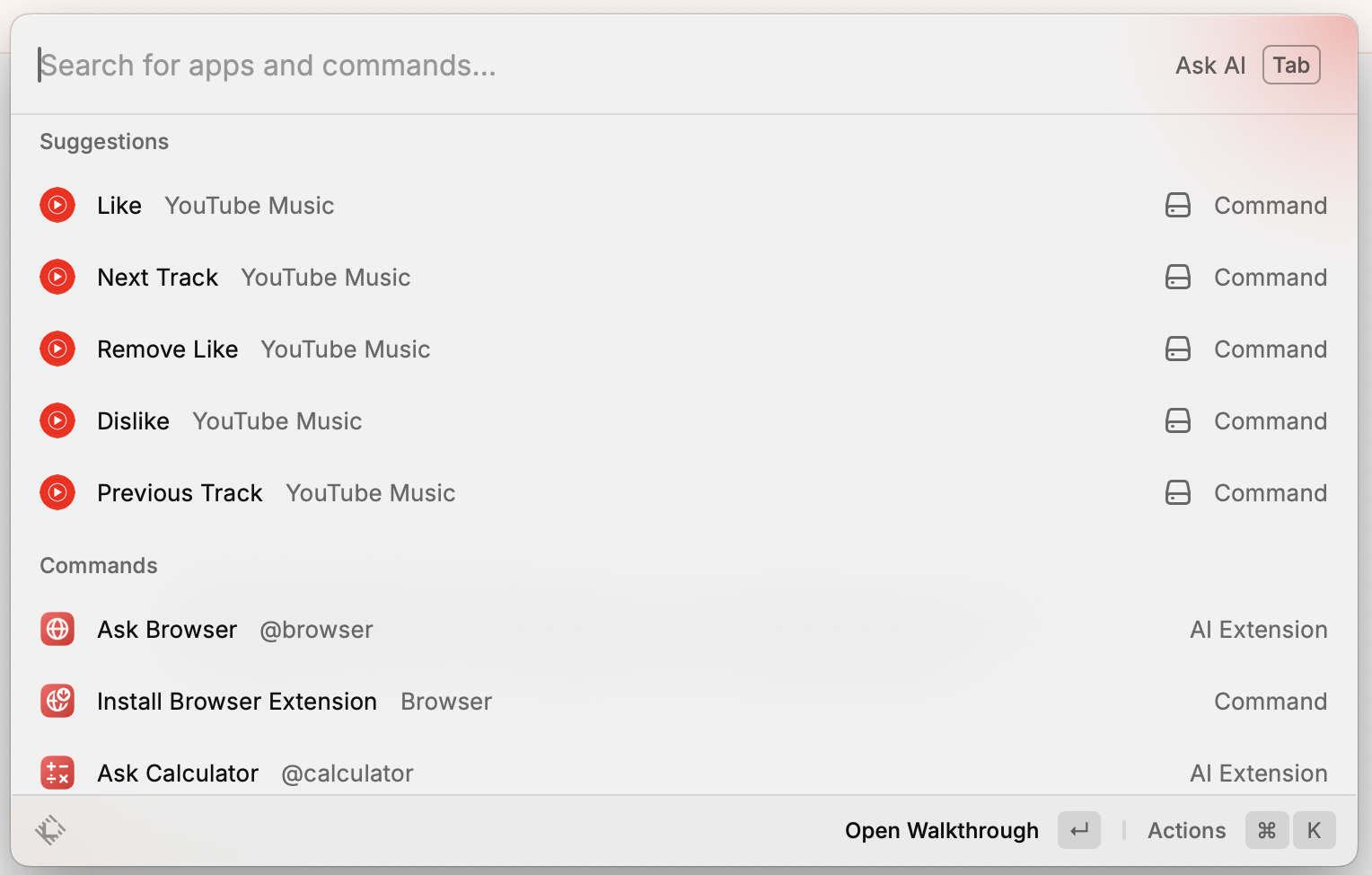
The Additions in Detail
New Feature: “Remove Like”
With the new Remove Like command, users can remove a like from a currently playing track, on both YouTube Music and YouTube. The state of the button is checked beforehand to prevent unintended changes.
The feature is fully HUD-integrated and gives immediate feedback (“Like removed”, “Track not liked”, and so on).
Improved Like and Dislike Logic
The existing Like and Dislike commands have been reworked to avoid accidental double clicks. Before running, the extension now checks whether the song has already been liked or disliked. These commands also provide clear feedback via the Raycast HUD.
Next and Previous Track Control
The commands for skipping and repeating tracks have been thoroughly reworked. The DOM logic was brought up to date so that these commands work reliably on both the classic YouTube web interface and in PWA mode. The logic also takes into account whether the relevant buttons are present, whether a track is playing, and whether a video is restarting.
URL Preference in the Settings
In the Raycast settings, users can now decide which platform the commands should target:
- YouTube only
- YouTube Music only
- Both platforms
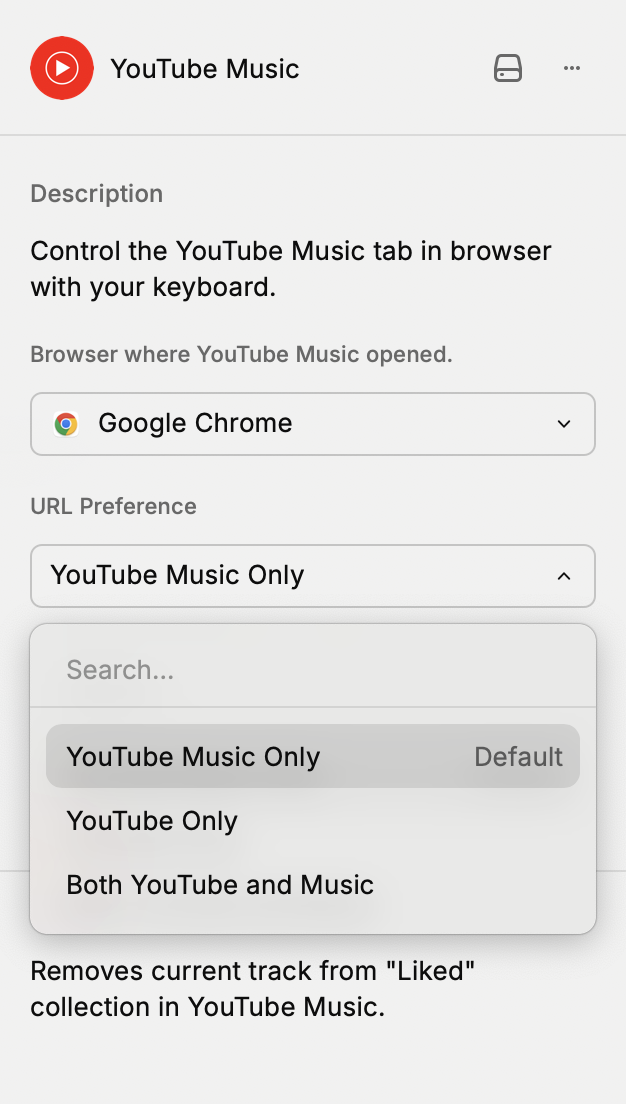
This makes the extension far more adaptable and allows parallel use in multi-tab scenarios.
Technical Reworking
Alongside the functional additions, key architectural components were refactored:
- The utility function
runJSInYouTubeMusicTabwas modularised and now checks the correct URL preference. - Additional helper functions (
escapeJS,getUrlCondition) were introduced to improve the maintainability and readability of the code. - The code was optimised for consistent error handling and hardened for edge cases.
Repository hygiene and documentation were also revised in the process:
.gitignorewas updatedCHANGELOG.mddocuments the new features- All commands were successfully linted, tested and validated as a build
Contributors and Community
This update was initiated and implemented by Carlo von Reyher. In addition, we would like to thank the following active contributors, whose work made the extension possible and improved it:
The extension was originally submitted by Daniel Bird and remains available through the official store:
👉 Raycast Extension: YouTube Music
Installation Guide
- Open Raycast (
⌘ + Space) - Select and open the “Store”
- Search for “YouTube Music” in the store
- Install the extension
- In the Extension Preferences, select the platform you want (YouTube / YouTube Music)
- Use the Raycast commands, without switching browsers, straight from your keyboard
Available commands:
Like SongDislike SongRemove LikeNext TrackPrevious Track
Conclusion
The reworked Raycast extension now offers robust, precise and cross-platform control for YouTube and YouTube Music. Thanks to the new features, clear feedback mechanisms and configurable URL preferences, the integration becomes an even more capable tool for everyday workflows, intuitive to use and open to future additions.
For feedback, feature suggestions or technical contributions, the pull request remains open for discussion: